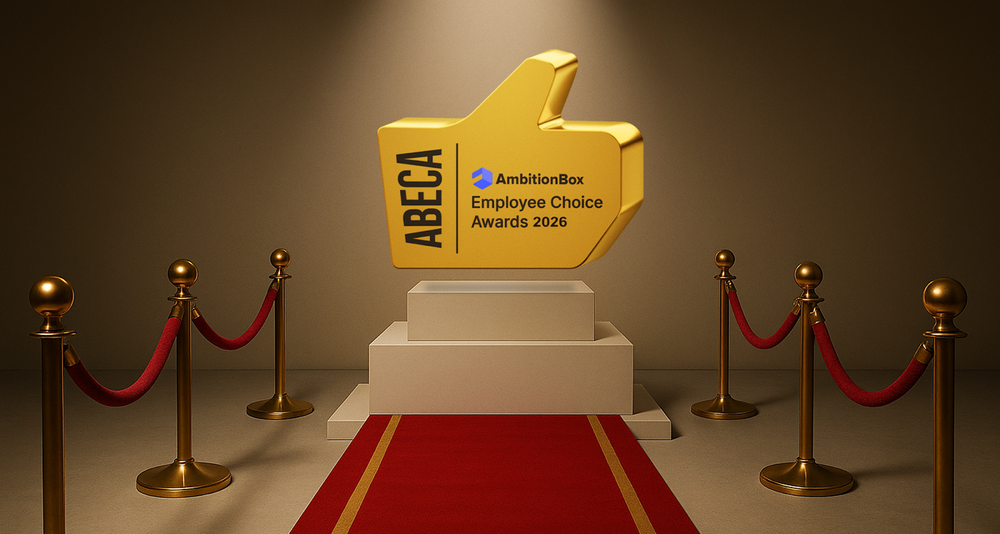
You’ve Won ABECA 2026. Let’s Make This Moment Count 🏆 Congratulations. Truly. If you’re reading this, it means your organisation is one of the proud winners of the ABECA 2026 – AmbitionBox Employee Choice Awards. And that’s not something Rishabh Kapur 26 Feb 2026 • 6 min read
For Employers How To Check Employee Exit Reasons? The Exit Reasons feature helps you understand why employees choose to leave your organization. These insights are collected directly from employees when they submit their reviews. Here’s how you Rishabh Kapur 19 Feb 2026 • 1 min read
For Employers How To Download Your Company Reviews? Downloading reviews allows you to analyze employee feedback offline and share insights internally. Here’s a step-by-step guide to downloading reviews from the AmbitionBox Employer Dashboard. Step 1: Log in Rishabh Kapur 19 Feb 2026 • 2 min read
For Employers How To Invite Team Members On Employer Dashboard? Inviting team members allows you to collaborate with your colleagues and manage your company profile more effectively. Here’s a step-by-step guide to inviting team members from the AmbitionBox Employer Rishabh Kapur 19 Feb 2026 • 2 min read
Company Reviews How To Edit Your Review On AmbitionBox? You can edit your review on AmbitionBox at any time by logging into your account and accessing your profile. Follow the steps below to update your review. Step 1: Log Rishabh Kapur 19 Feb 2026 • 1 min read
For Employers How To Access Reports On AmbitionBox The Reports section helps you analyze insights related to employee feedback and your employer branding performance. Here’s how you can access and use reports from the Employer Dashboard. Step Rishabh Kapur 19 Feb 2026 • 2 min read
Company Reviews How To Report A Review On AmbitionBox If you come across a review that violates AmbitionBox guidelines, you can report it directly from the Employer Dashboard. Here’s how to report a review step by step. Step Rishabh Kapur 19 Feb 2026 • 2 min read
For Employers How To Invite Employees For ABECA On AmbitionBox You can invite your employees to participate in ABECA (AmbitionBox Employee Choice Awards) and submit their reviews using multiple sharing options available on the Employer Dashboard. Here’s how to Rishabh Kapur 19 Feb 2026 • 2 min read
For Employers How To Invite Employees To Rate Your Company On AmbitionBox You can invite your employees to rate your company on AmbitionBox using multiple sharing options available on the Employer Dashboard. Here’s how to do it step by step. Step Rishabh Kapur 19 Feb 2026 • 2 min read
How To Unsubscribe from Promotional Emails on AmbitionBox You can manage and unsubscribe from promotional email communications directly from the AmbitionBox account. Here’s how to update your preferences step by step. Step 1: Log in to AmbitionBox Rishabh Kapur 19 Feb 2026 • 1 min read
For Employers How To Invite Candidates To Share Their Interview Experience on AmbitionBox You can invite candidates to share their interview experience directly from the Employer Dashboard. Here’s how to do it step by step. Step 1: Log in to the Employer Rishabh Kapur 19 Feb 2026 • 2 min read
For Employers How to Add Office Locations? Adding your office locations helps candidates and employees know where your company operates. You can easily manage this from your Employer Dashboard. Step 1: Log in to the Employer Dashboard Rishabh Kapur 24 Sep 2025 • 1 min read
For Employers How To Sign Up On The Employer Dashboard? This guide provides a step-by-step process to sign up on the AmbitionBox Employer Dashboard (ED). This is applicable for new employers who are looking to claim and manage their company Rishabh Kapur 24 Sep 2025 • 2 min read
For Employers How to Apply For the Promotes Transparency Badge? The Promotes Transparency badge helps showcase your company’s commitment to openness and trust. You can earn this badge by adding one of AmbitionBox’s official badges to your company Rishabh Kapur 24 Sep 2025 • 2 min read
For Employers How to Request For Company Name Change? If your organization has recently rebranded or updated its registered name, you can easily request a company name change on AmbitionBox. Here’s how to do it: Step 1: Log Rishabh Kapur 24 Sep 2025 • 2 min read
For Employers How to Change Company Logo? Your company logo is the first thing candidates and employees notice on your AmbitionBox profile. Keeping it updated ensures brand consistency and trust. Here’s how you can edit or Rishabh Kapur 24 Sep 2025 • 2 min read
For Employers How to Download Badges? Badges are a great way to showcase your company’s achievements and strengthen your employer brand. Here’s a step-by-step guide to downloading and using them. Step 1: Log in Rishabh Kapur 24 Sep 2025 • 2 min read
For Employers How to Edit Your Details on Employer Dashboard? The Team Members section lets you keep your profile information up to date. Here’s a step-by-step guide to editing your details from the Employer Dashboard. Step 1: Log in Rishabh Kapur 24 Sep 2025 • 2 min read