How to Edit Your Details on Employer Dashboard?


2 min read

The Team Members section lets you keep your profile information up to date. Here’s a step-by-step guide to editing your details from the Employer Dashboard.


Step 1: Log in to the Employer Dashboard

Visit https://employer.ambitionbox.com and log in using your registered company credentials.
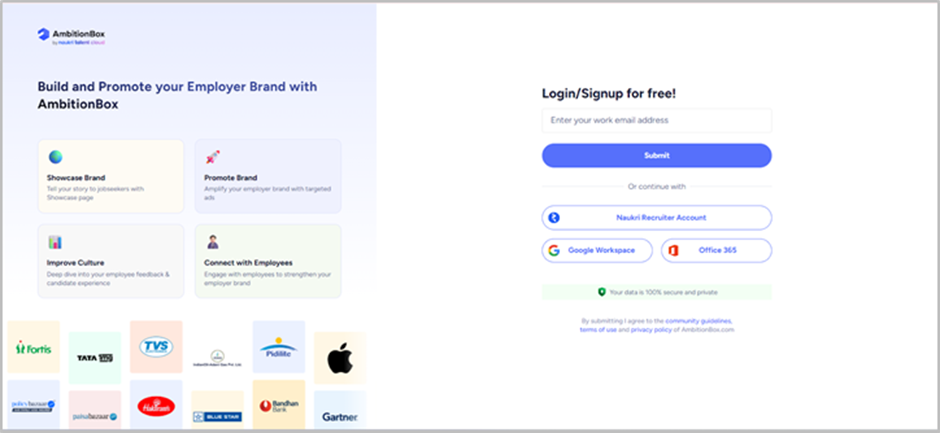
Step 2: Navigate to Team Members

Once logged in, you’ll land on the Employer Dashboard. From the left panel, click on 'Manage Your Team'.
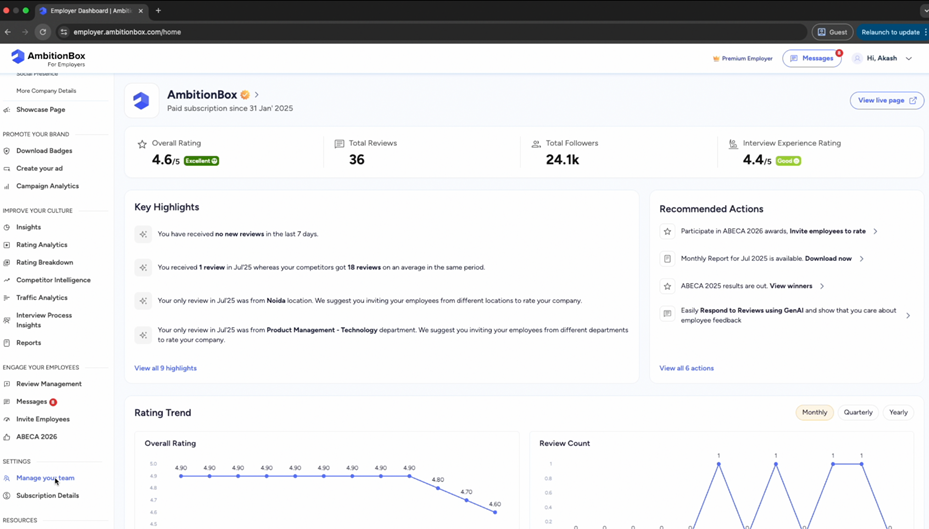
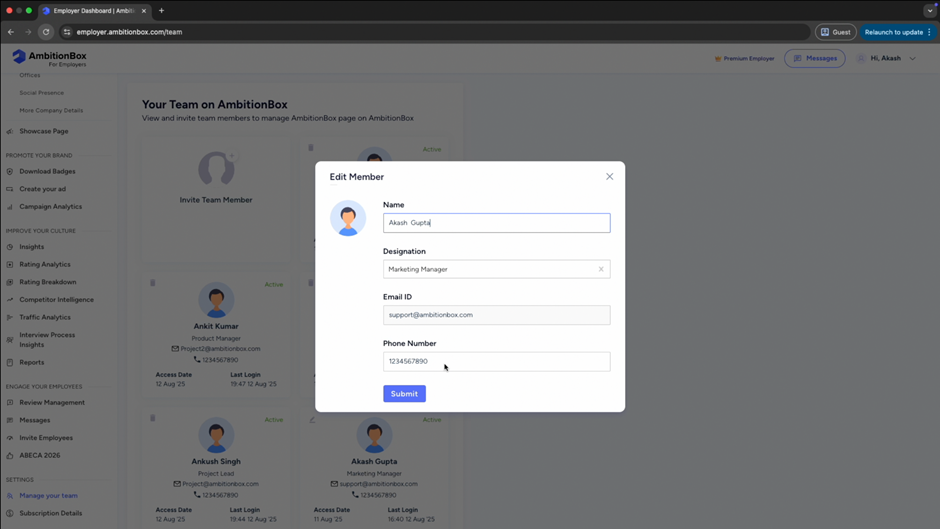
Step 3: Edit Your Info

On the Team Members page, you’ll see a list of all added members. Find your name in the list and click on '🖉'.
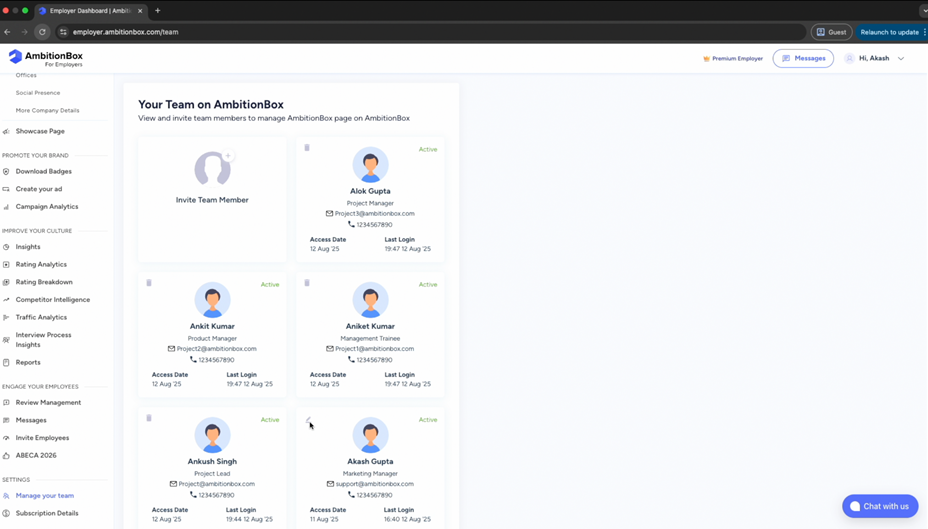
Step 4: Update Your Details

You can now update your information, such as:

● Name

● Designation

● Phone number
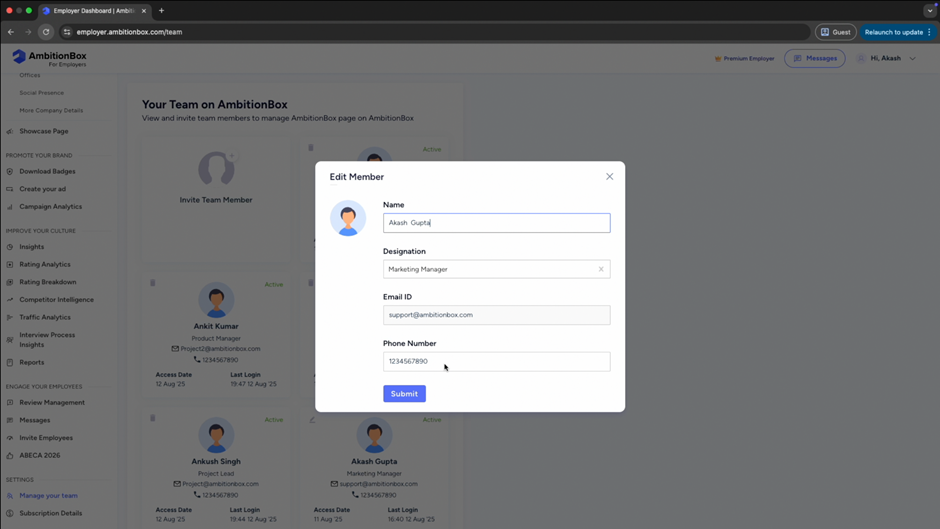
Step 5: Save Changes

After updating your details, click on 'Submit' to successfully update your information.
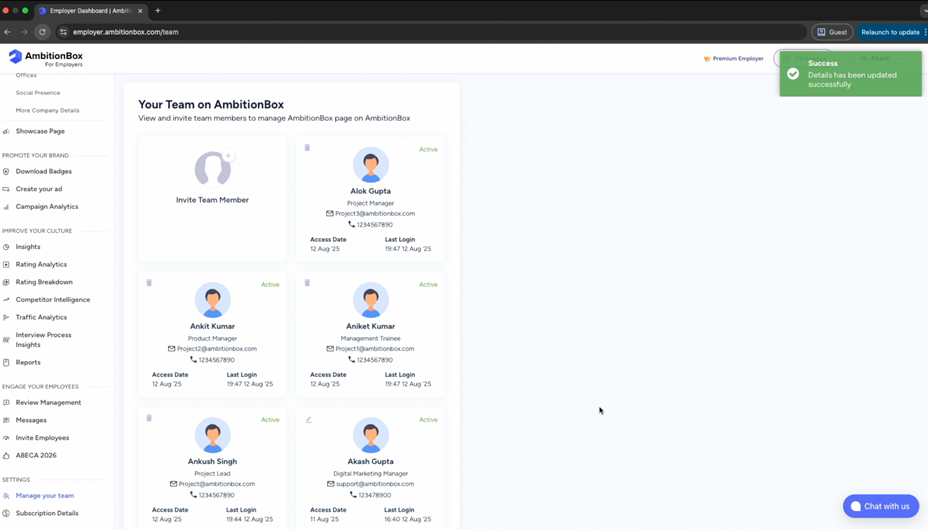
Final View: Updated Member Info

Once saved, your updated information will be reflected in the Team Members section.
Tip: Keeping your info accurate ensures smoother communication within your team and builds a trustworthy company presence on AmbitionBox.


Previous article

How to Invite Employees to Rate?

Inviting your employees to share their authentic reviews would help you work on their valuable feedback. Follow this step-by-step guide to learn how to invite

Next article

How to Download Badges?

Badges are a great way to showcase your company’s achievements and strengthen your employer brand. Here’s a step-by-step guide to downloading and using


Related Articles

How To Check Employee Exit Reasons?

The Exit Reasons feature helps you understand why employees choose to leave your organization. These insights are collected directly from

1 min read

How To Download Your Company Reviews?

Downloading reviews allows you to analyze employee feedback offline and share insights internally. Here’s a step-by-step guide to downloading

2 min read

How To Invite Team Members On Employer Dashboard?

Inviting team members allows you to collaborate with your colleagues and manage your company profile more effectively. Here’s a

2 min read

How To Access Reports On AmbitionBox

The Reports section helps you analyze insights related to employee feedback and your employer branding performance. Here’s how you

2 min read

How To Invite Employees For ABECA On AmbitionBox

You can invite your employees to participate in ABECA (AmbitionBox Employee Choice Awards) and submit their reviews using multiple sharing

2 min read

How To Invite Employees To Rate Your Company On AmbitionBox

You can invite your employees to rate your company on AmbitionBox using multiple sharing options available on the Employer Dashboard.

2 min read

GO TOP