
Inviting your employees to share their authentic reviews would help you work on their valuable feedback. Follow this step-by-step guide to learn how to invite your employees to share their reviews and ratings.
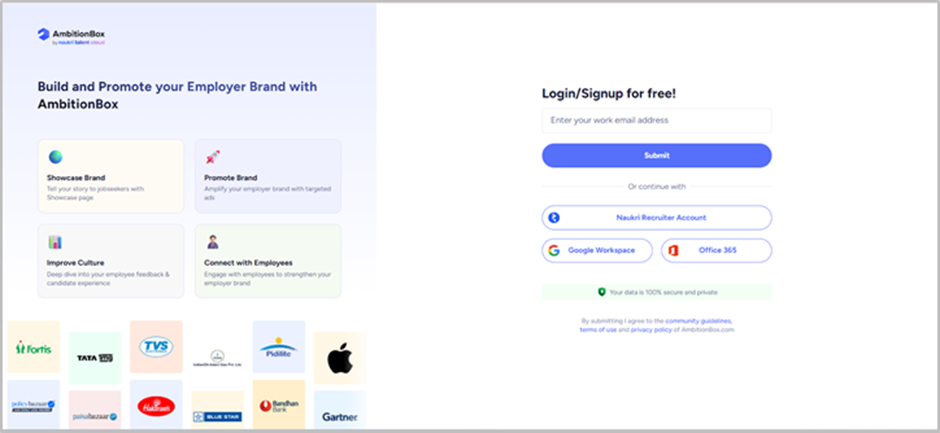
Step 1: Log in to the Employer Dashboard
Visit https://employer.ambitionbox.com and log in using your registered company credentials.
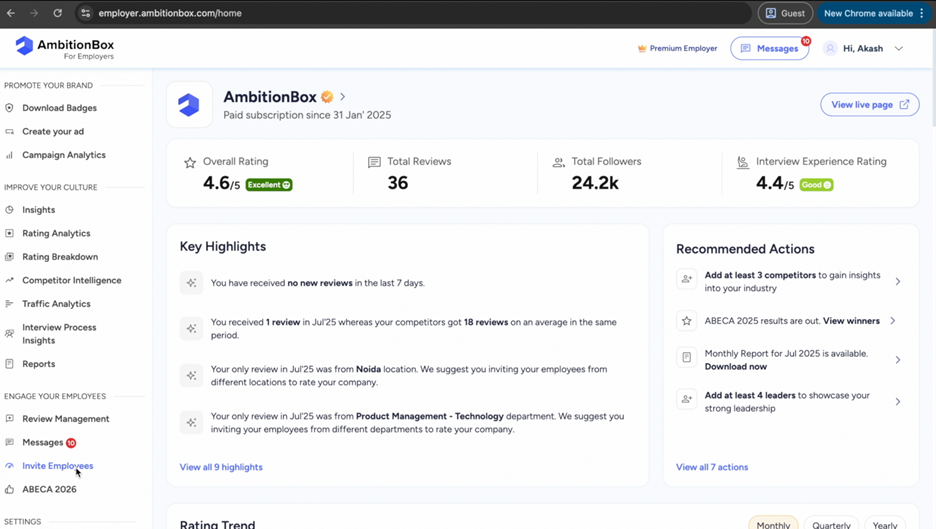
Step 2: Navigate to Invite Employees
Once logged in, you’ll land on the Employer Dashboard. From here, go to the left panel and click on 'Invite Employees' under 'Engage Your Employees'.
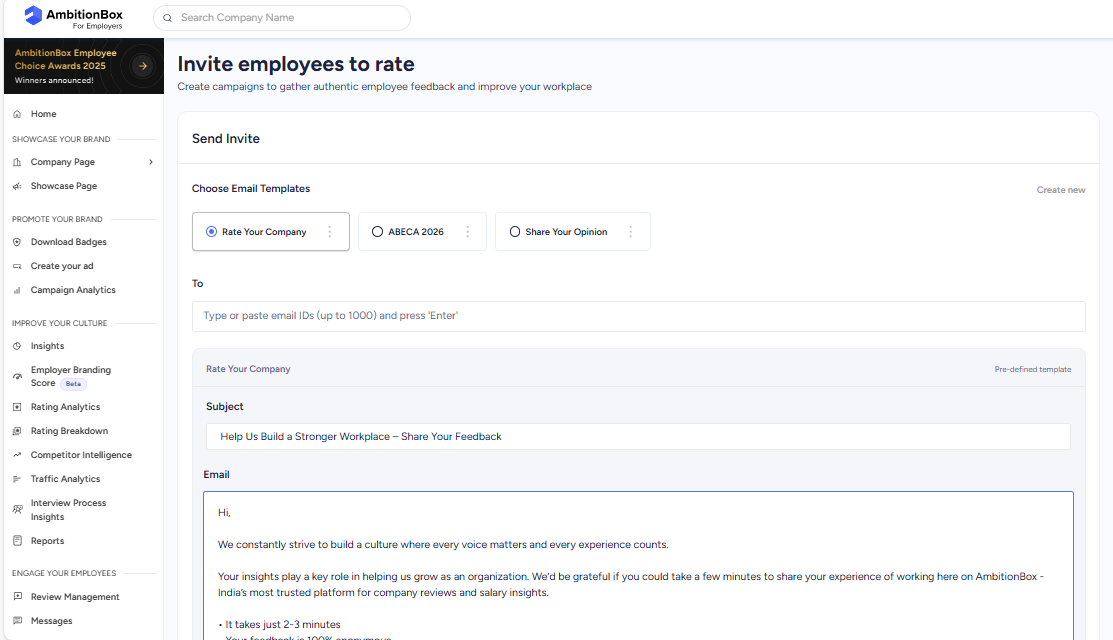
Step 3: Add Employee Email Addresses
On the Invite Employees page, enter the email addresses of the employees you want to invite.
● You can add up to 2,500 email addresses at once (depending on the company size).
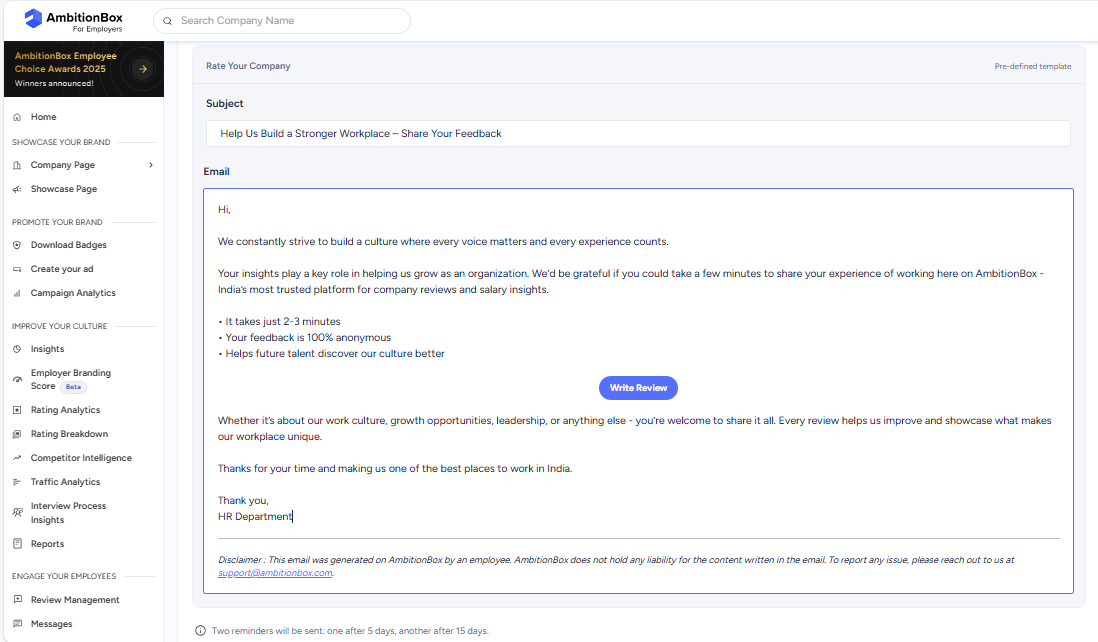
Step 4: Customize the Email (Optional)
You’ll see a pre-filled subject line and email body provided by AmbitionBox.
● You can either use the default content or edit it to match your company’s tone.
Step 5: Send the Invitation
Once everything is ready, click on 'Send Email' to share the invite with the selected employees.
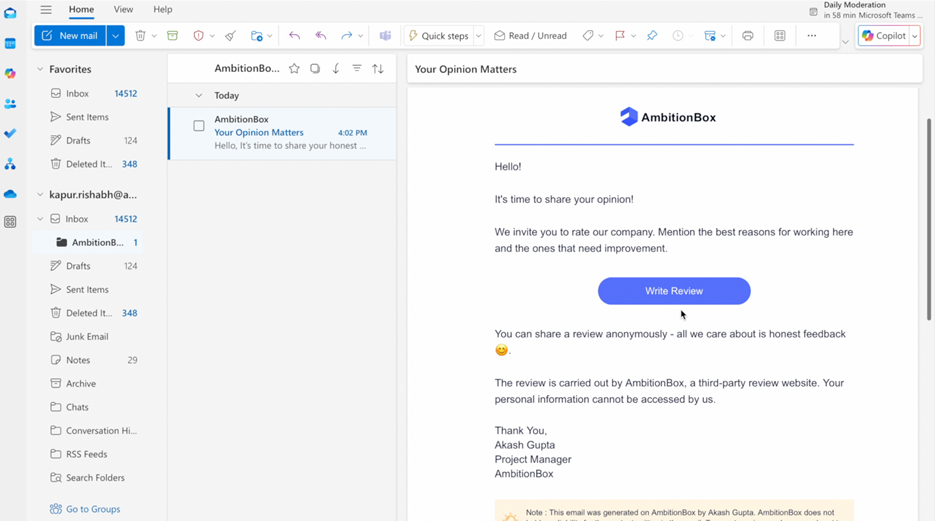
Final View: Employee Email Example
Here’s how the email will appear in your employees’ inboxes:
● It includes a Write Review CTA button.
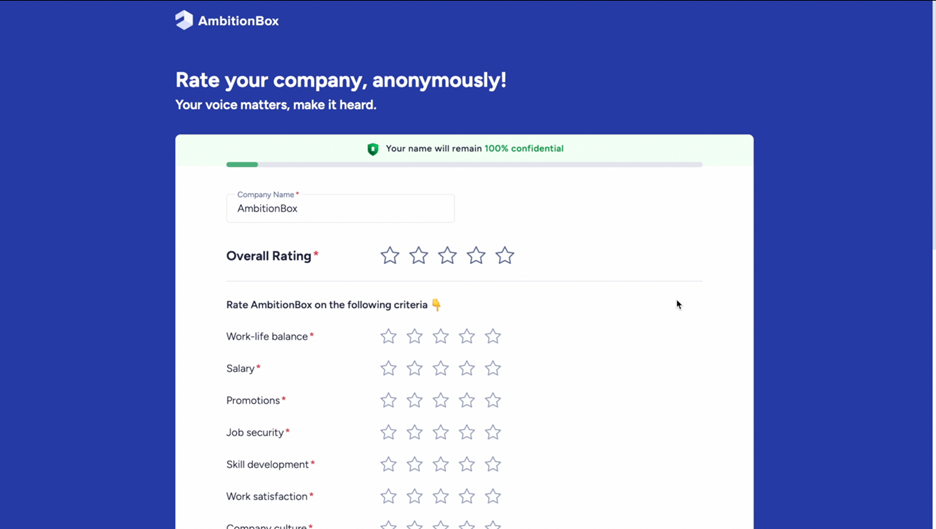
● Employees can click this button to land directly on the review form and submit their feedback.
✅ Tip: Regularly inviting employees ensures you receive fresh, updated reviews that reflect your company’s evolving culture.