
Inviting team members allows you to collaborate with your colleagues and manage your company profile more effectively. Here’s a step-by-step guide to inviting team members from the AmbitionBox Employer Dashboard.
Step 1: Log in to the Employer Dashboard
Visit https://employer.ambitionbox.com and log in using your registered company credentials.

Step 2: Go to Manage Your Team
From the left panel, click on Manage Your Team.

Step 3: Select Invite Team Member
On the Team Members page, click on Invite Team Member.

Step 4: Enter Team Member Details
Enter the Name, designation and the email address of the team member you want to invite, and click on Submit.

Step 5: Open the Invitation Email
The invited team member will receive an email with an Accept Invite link to join your company’s employer dashboard on AmbitionBox.

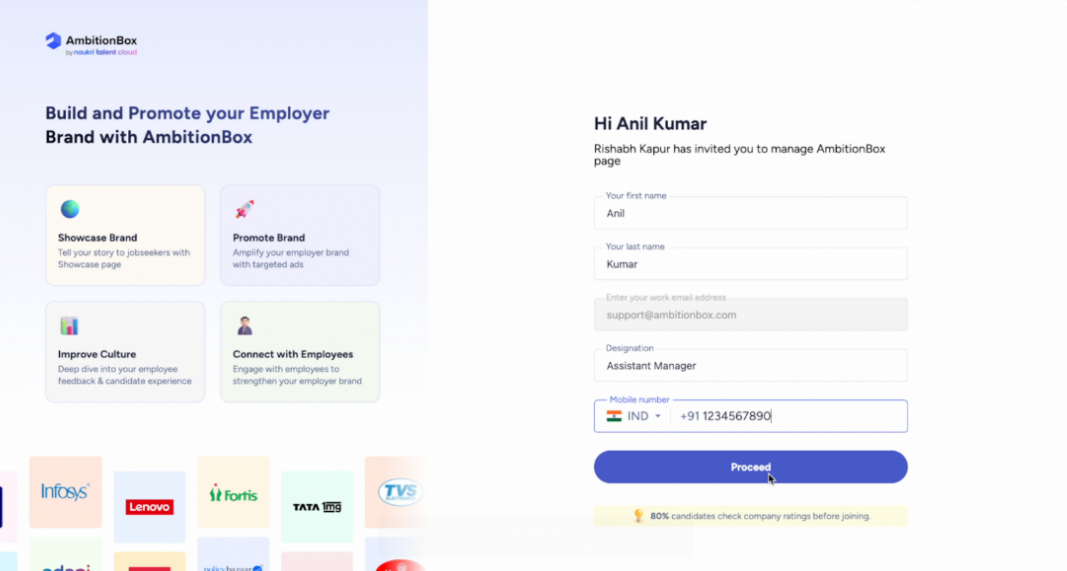
Step 6: Verify Mobile Number
On clicking the invitation link, the team member will be redirected to the Employer Dashboard with a pre-filled form. They need to enter their mobile number and click on Proceed.
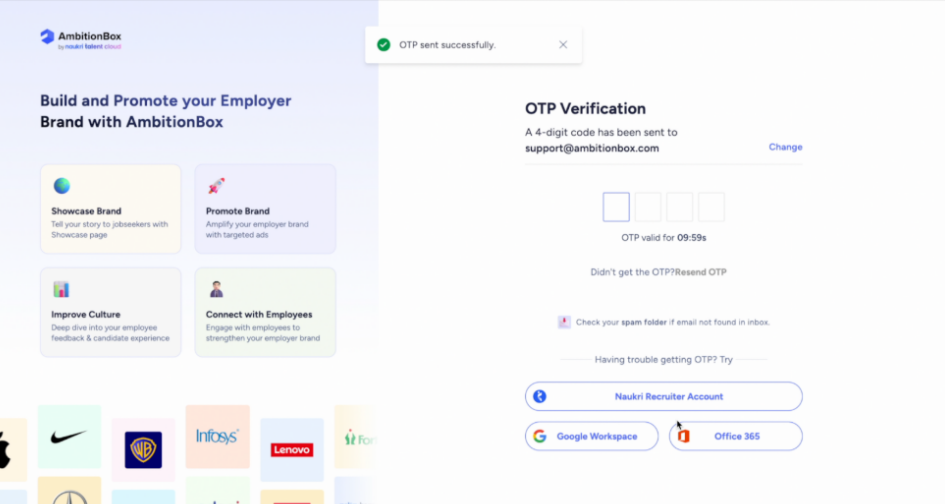
Step 7: Complete OTP Verification
Enter the OTP sent to the email ID to complete the verification process.
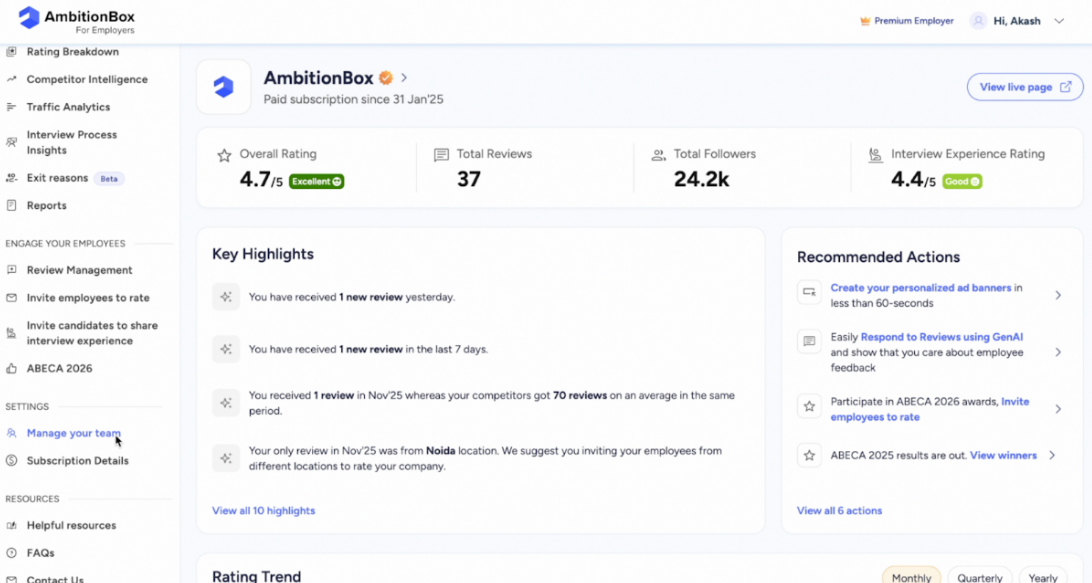
Final View: Access Granted
Once the OTP is verified, the team member will get access to the Employer Dashboard and can start managing the company profile based on the assigned permissions.
✅ That’s it! You’ve successfully invited a team member, and they now have access to your AmbitionBox company account.