How to Request For Company Name Change?


2 min read

If your organization has recently rebranded or updated its registered name, you can easily request a company name change on AmbitionBox. Here’s how to do it:


Step 1: Log in to the Employer Dashboard

Visit https://employer.ambitionbox.com and log in using your registered company credentials.
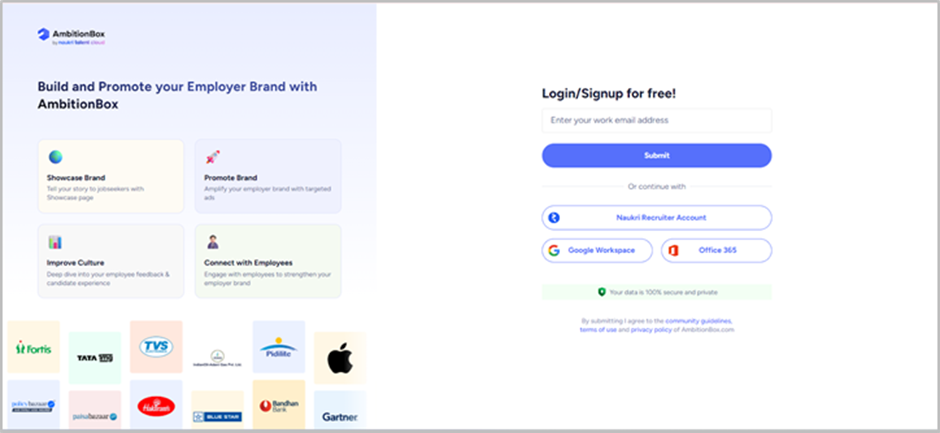
Step 2: Navigate to Company Info

Once logged in, you’ll land on the Employer Dashboard. From the left panel, click on 'Company Info' under the 'Showcase Your Brand' section.
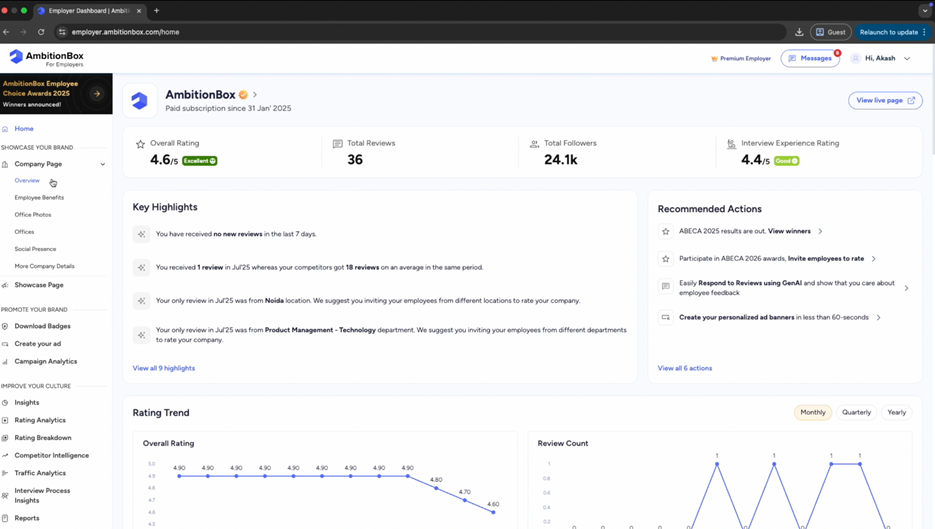
Step 3: Edit Company Name

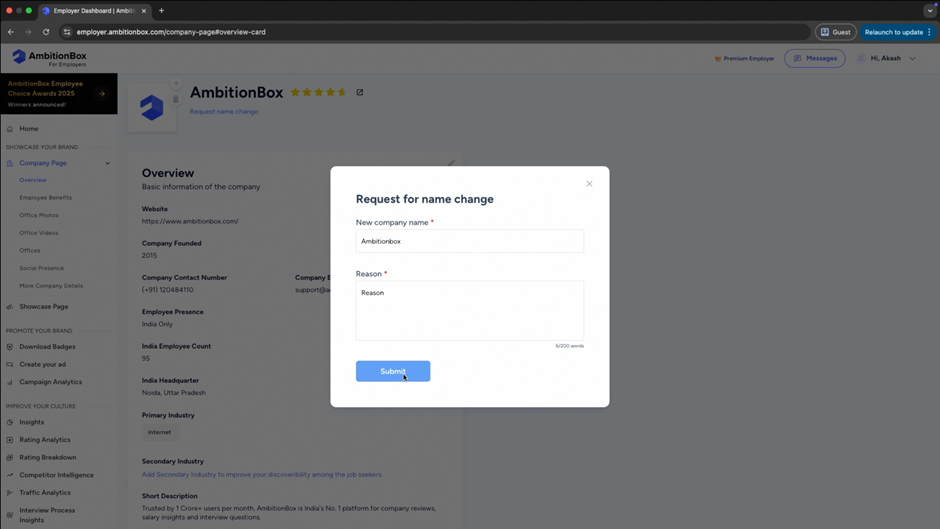
On the Company Info page, click on 'Request name change'.
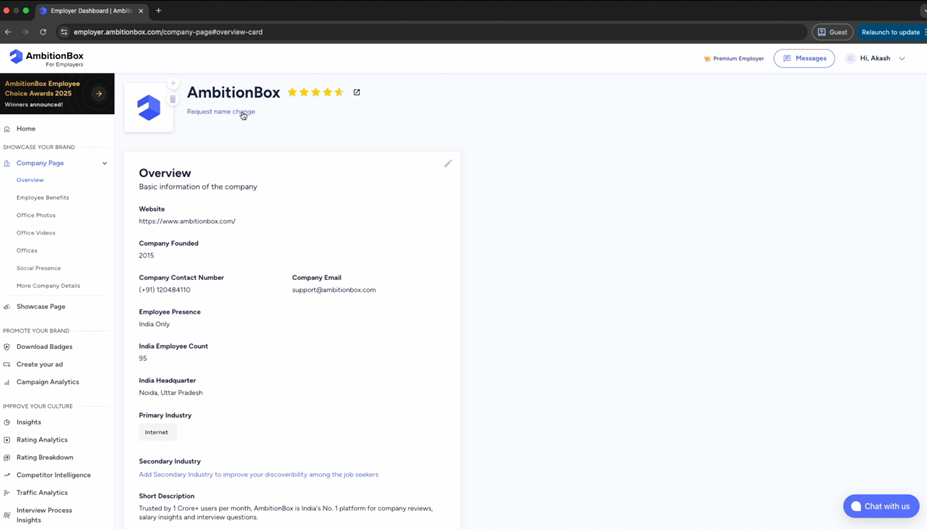
Step 4: Enter New Company Name

Type in your updated company name carefully. Make sure it matches your official records and branding guidelines.
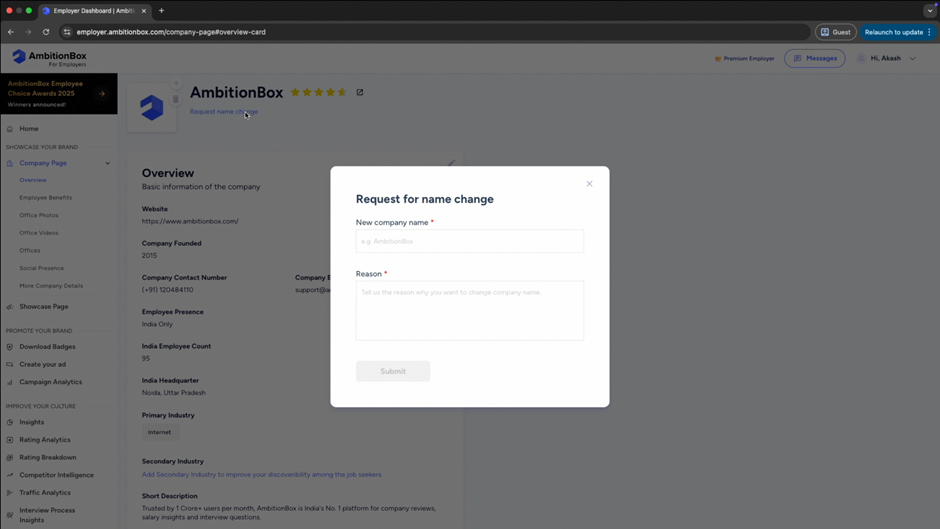
Step 5: Save Changes

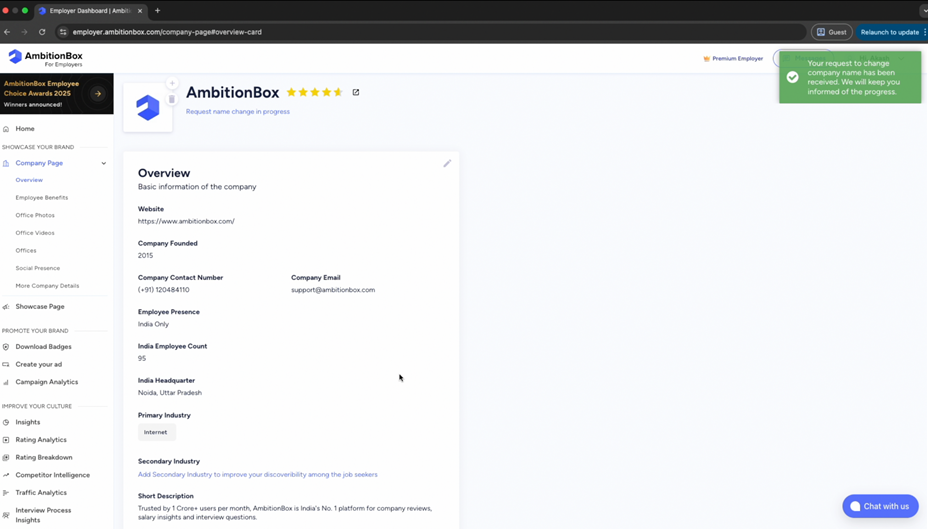
Once done, click on 'Save'. Your request will be submitted for review.
Step 6: Review by AmbitionBox Team

The AmbitionBox team will verify your request. Once approved, your updated company name will reflect on your company profile within 3 business days.
👉 Updating your company name ensures consistency across your employer branding and helps candidates easily identify your organization.

Related Articles

How To Check Employee Exit Reasons?

The Exit Reasons feature helps you understand why employees choose to leave your organization. These insights are collected directly from

1 min read

How To Download Your Company Reviews?

Downloading reviews allows you to analyze employee feedback offline and share insights internally. Here’s a step-by-step guide to downloading

2 min read

How To Invite Team Members On Employer Dashboard?

Inviting team members allows you to collaborate with your colleagues and manage your company profile more effectively. Here’s a

2 min read

How To Access Reports On AmbitionBox

The Reports section helps you analyze insights related to employee feedback and your employer branding performance. Here’s how you

2 min read

How To Invite Employees For ABECA On AmbitionBox

You can invite your employees to participate in ABECA (AmbitionBox Employee Choice Awards) and submit their reviews using multiple sharing

2 min read

How To Invite Employees To Rate Your Company On AmbitionBox

You can invite your employees to rate your company on AmbitionBox using multiple sharing options available on the Employer Dashboard.

2 min read

GO TOP