You can edit your review on AmbitionBox at any time by logging into your account and accessing your profile. Follow the steps below to update your review.
Step 1: Log in to AmbitionBox
Log in to AmbitionBox using any of the following options:
- Naukri
- Office 365
- LinkedIn

Step 2: Open Your Profile
Once you’re logged in:
- Click on your profile picture at the top-right corner.
- Select Profile from the dropdown menu.

Step 3: Go to the Reviews Section
On your profile page:
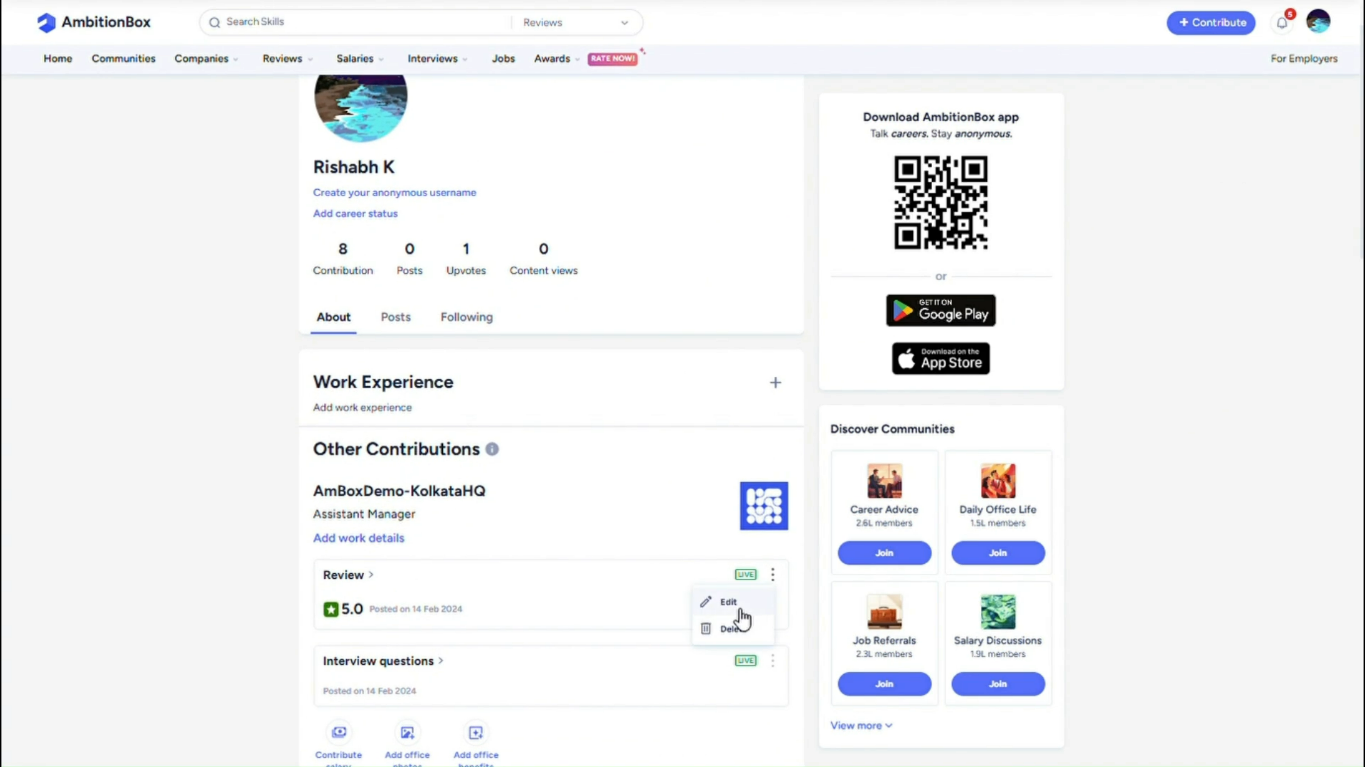
- Navigate to the Reviews section.
- Locate the review you want to edit.
Step 4: Edit Your Review
- Click on the three-dot menu next to the review.
- Select Edit.
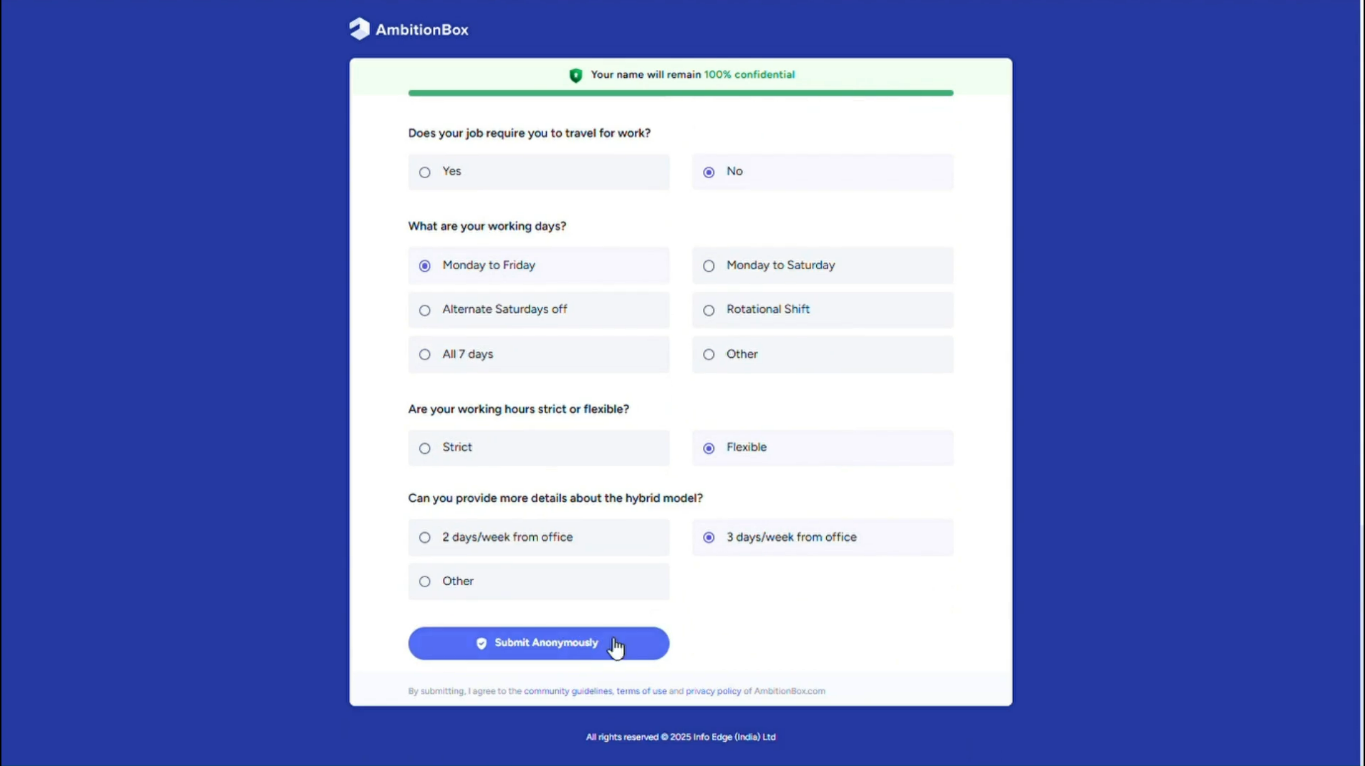
- Make the required changes to the review form.
- Click Submit to save your updates.
✅ That’s It!
Your review has been successfully updated and will reflect the latest changes once submitted.
If you need any assistance, feel free to reach out to us at support@ambitionbox.com.